The Minimal Home Office Setup That Boosts Focus
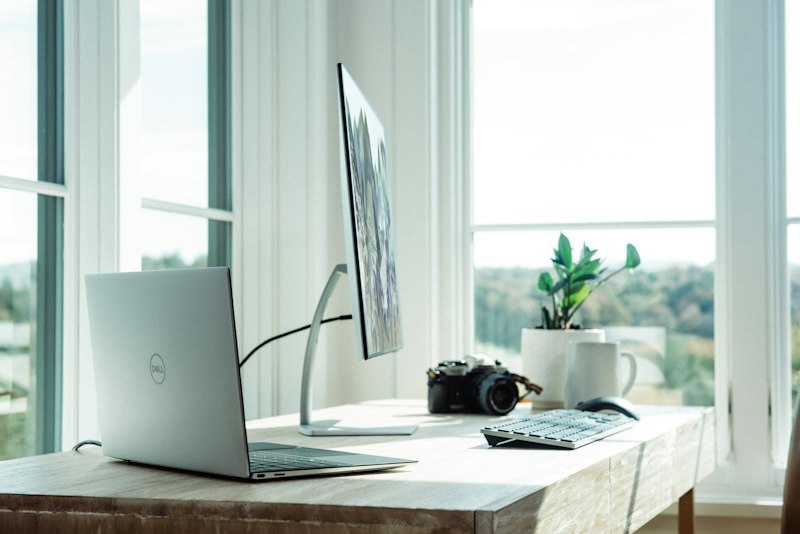
A good home office setup isn't about how much you spend — it's about fixing the few things that quietly drain your focus all day. You don't need a ₹2 lakh battlestation. You need a handful of decisions made well, in the right order. Here's what actually moves the needle, and what's just expensive decoration.
The Biggest Mistake
Spending ₹50,000 on gear before understanding what's actually slowing you down. Most productivity problems are behavioral, not equipment problems — a faster keyboard won't fix a habit of opening Slack every four minutes.
Buy gear to remove a specific, named friction. If you can't name the friction, you're shopping, not solving. The behavioral side matters more than any purchase, which is why pairing a clean setup with techniques to stop procrastinating beats any single upgrade.
What Actually Matters (In Order)
1. Chair
You sit in it for 8 hours. Buy the best chair you can afford. A bad chair causes pain which causes distraction which kills focus. This is not optional.
2. Monitor Position
Top of screen at or just below eye level, roughly an arm's length away. Anything lower creates neck strain within months — the classic "laptop hunch." A ₹500 monitor stand (or a sturdy stack of books) solves this for almost nothing. These are the same ergonomic basics the U.S. OSHA computer workstation guide recommends for avoiding repetitive strain.
3. Lighting
Natural light in front of you, not behind. Overhead harsh lighting causes eye strain. A warm desk lamp for evening work.
4. Noise Control
Silence or consistent background noise (rain, lo-fi). The worst is unpredictable noise — conversations, notifications. Noise-cancelling headphones are the single best focus investment.
5. Dedicated Space
Work happens here. Rest doesn't. Your brain needs the association. Even a corner of a room with a specific chair works — the physical cue matters.
What Doesn't Matter (Much)
- Desk size (a small clean desk beats a large messy one)
- Fancy keyboard (Logitech MX Keys is fine)
- RGB lighting (no comment)
The One Upgrade With the Best ROI
A second monitor. More screen space directly reduces task-switching friction for most types of knowledge work — reference on one screen, work on the other, no constant alt-tabbing. For under ₹12,000 it's the rare upgrade that pays for itself in recovered focus within weeks.
A Sane Buying Order
If you're starting from a laptop on a kitchen table, spend in this sequence — stop whenever the next item stops solving a real problem:
| Priority | Item | Rough budget |
|---|---|---|
| 1 | A genuinely good chair | Most of it |
| 2 | Monitor + stand at eye level | Moderate |
| 3 | Noise-cancelling headphones | Moderate |
| 4 | Second monitor | Optional |
| 5 | Everything else | Last |
Dialing In the Ergonomics
Most "back pain from working" isn't the chair's fault alone — it's the geometry of how you sit in it. Once you've bought a good chair, spend ten minutes setting it up instead of accepting the factory defaults.
Start from the feet and work up. Your feet should rest flat on the floor with knees at roughly 90 degrees; if your chair is set high enough that your monitor is right, your feet may dangle, and a cheap footrest fixes that. Set the seat depth so there's a two-to-three-finger gap between the front edge and the back of your knees — too deep and the edge cuts off circulation, too shallow and your thighs get no support. Adjust the armrests so your shoulders stay relaxed and your forearms float roughly parallel to the desk; armrests set too high force a permanent shrug you won't notice until your neck aches at 4pm.
The keyboard and mouse matter more than people expect. Keep them close enough that your elbows stay near your sides — reaching forward all day loads the shoulders. Your wrists should stay neutral, not bent up toward the keys. If you're using a laptop as your main machine, this is the strongest argument for an external keyboard and mouse: a laptop forces a brutal trade-off where either the screen is too low or the keyboard is too high, and you can't fix both at once. Separate the input from the screen and each can sit where it belongs.
None of this requires money. A box under your feet, a stack of books under a monitor, and five minutes with the chair levers will outperform an expensive desk every time. Ergonomics is a configuration problem before it's a purchasing problem.
Tame the Digital Workspace
The physical desk is only half the setup. The other half is what's on the screen, and it leaks focus just as quietly as a bad chair leaks comfort. A spotless desk in front of a chaotic desktop is a half-finished job.
Two changes do most of the work. First, cut notifications at the source. Close the email tab — don't minimize it, close it — and check it on a schedule instead of letting it interrupt you. Turn off every badge and banner that isn't a human waiting on you in real time. The same friction principle that governs screen-time habits applies here: the easiest way to not get distracted by Slack is to make Slack slightly harder to reach, not to rely on willpower forty times an hour.
Second, give your windows a default arrangement. Decide where your primary work window lives and where reference material goes — this is exactly where a second monitor earns its keep — and use your operating system's window-snapping shortcuts so you're not dragging and resizing all day. A predictable layout means your eyes know where to look without your conscious attention spending anything to find it.
Finally, treat your browser tabs like your desk surface: a small, intentional set beats a sprawling mess. Thirty open tabs aren't a backlog you'll get to; they're visual noise and a quiet source of dread every time you glance up. Bookmark what matters, close the rest, and start each session with only what the current task needs. The goal across all of this is the same one as the physical setup — remove the small, constant frictions so that focus is the path of least resistance rather than a thing you have to fight for.
Common Mistakes
- Buying the desk first. The desk is the most visible item and the least important. Sort the chair and screen before you think about the surface.
- Working from the couch or bed. No dedicated space means no mental on/off switch, and the workday bleeds into everything. Your brain needs the physical cue.
- Optimizing gear while ignoring habits. The best setup in the world won't help if attention leaks elsewhere. Tools support focus; they don't create it — which is why building the right daily routine matters as much as the hardware.
For more on building a workspace and the habits around it, browse the life category.